
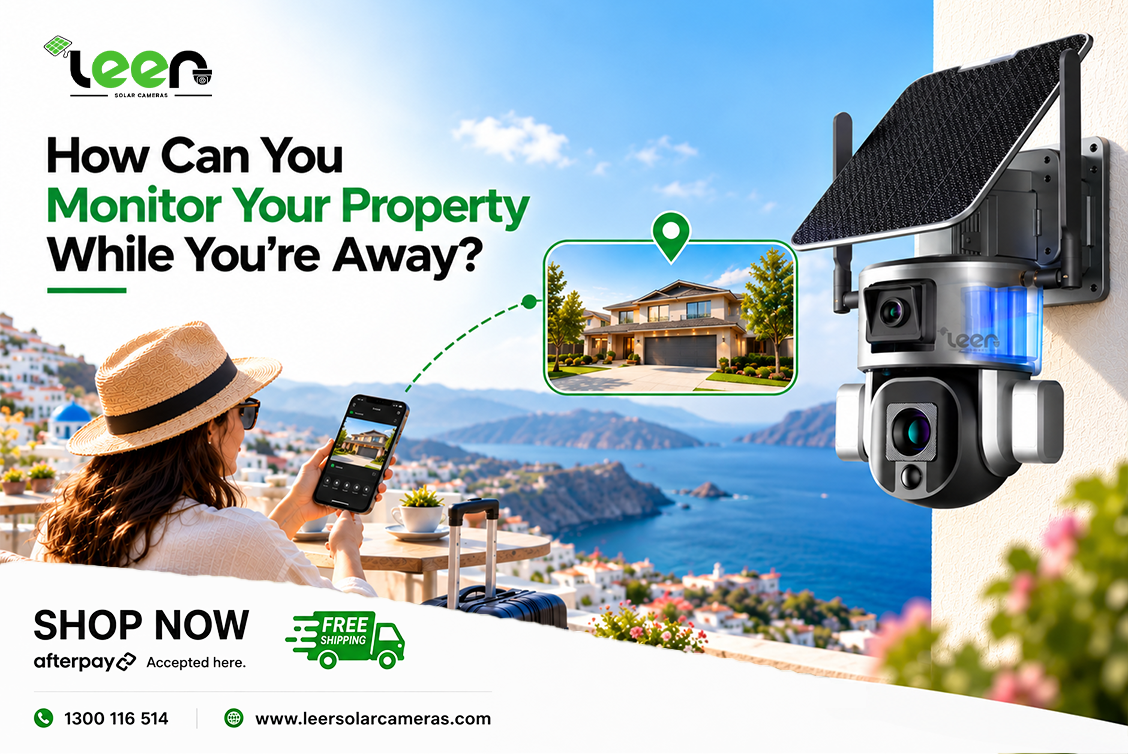
Whether you own a rural property, manage a construction site, or leave your home unattended while travelling, knowing what is happening at your property can be important. Modern security cameras make it possible to check outdoor areas remotely without needing to be physically present.
With the right setup, you can view live footage, receive movement alerts and check recorded activity through your smartphone.
Quick Answer
You can monitor your property while you're away using a security camera that supports remote viewing through a mobile app. A compatible 4G camera connects through a mobile network, while a WiFi camera uses an existing internet connection. For rural properties without reliable WiFi or mains electricity, solar-powered security cameras with rechargeable batteries can provide a practical alternative. Reliable remote access depends on suitable network coverage, sufficient power and correct camera configuration.
How Does Remote Property Monitoring Work?
Remote property monitoring allows you to check security camera footage through an internet-connected device, such as a smartphone or tablet.
A compatible security camera captures activity at the installation location and connects to a supported mobile application. Depending on the model, you can access live video, receive notifications or review footage saved to local or cloud storage.
A typical remote monitoring system involves four components:
-
Security camera: Captures footage of your selected monitoring area.
-
Network connection: Uses WiFi, 4G or another supported internet connection.
-
Power supply: Operates through mains electricity, solar charging or a rechargeable battery.
-
Mobile application: Allows you to access supported camera functions from another location.
For example, someone managing a farm can check the main entrance or machinery storage area from their phone without travelling to the property.
The exact features depend on the camera model, network connection and recording settings.
How Can You Check Your Property From Your Phone?
Many modern security cameras support mobile applications that allow property owners to check their cameras while travelling, working or staying away from home.
Once the camera is installed and connected, you can access its supported functions through the manufacturer's app.
1. View Live Camera Footage
Live viewing allows you to see what is happening in the monitored area when the camera is connected.
You might check whether a gate is closed, whether a delivery has arrived or whether there is movement near an outdoor storage area.
2. Receive Motion Detection Alerts
Compatible cameras can send notifications when movement is detected.
Instead of watching footage continuously, you can open the application when an alert is received and check the activity.
3. Review Recorded Activity
Depending on the model and storage configuration, cameras may save footage to a memory card or supported cloud service.
This can help you review events that occurred while you were unavailable.
4. Adjust the Camera View Remotely
Cameras with pan, tilt and zoom (PTZ) functions can allow you to adjust the viewing direction through the mobile application.x
This is particularly useful for checking different sections of a large outdoor area.
Important: Remote access requires the camera to have sufficient power, a working connection and any necessary active data or service plan.
How to Set Up Remote Property Monitoring
Setting up a remote security camera involves more than attaching it to a wall or pole. Choosing the correct location, connection and power arrangement can make a significant difference to performance.
Step 1: Identify the Areas You Want to Monitor
Start by identifying important areas of the property.
These may include:
-
Entry gates and driveways
-
Farm sheds and machinery storage
-
Construction equipment areas
-
Building entrances
-
Outdoor storage facilities
-
Frequently used access points
Consider where people and vehicles usually enter the property and whether the camera will have an unobstructed view.
For larger properties, several cameras may be needed to monitor separate locations.
Step 2: Check Internet or Mobile Network Availability
Before choosing a camera, determine whether reliable WiFi is available at the intended installation point.
If the location has a stable WiFi connection, a compatible WiFi camera may be suitable.
If WiFi is unavailable, a 4G solar security camera can use a compatible SIM card and mobile network to provide remote access.
Always check mobile network coverage at the exact installation location rather than relying only on general coverage maps.
Step 3: Choose a Suitable Power Source
Properties with accessible electricity may be suitable for mains-powered camera systems.
For remote locations where electrical wiring is difficult or expensive, a solar-powered camera with rechargeable battery storage can provide another option.
Solar charging performance depends on the available sunlight, battery capacity and camera power consumption.
Step 4: Install the Camera in a Suitable Position
Position the camera where it can capture the required monitoring area.
Avoid unnecessary obstructions such as trees, walls or large objects that could block the view.
For solar-powered systems, place the solar panel where it can receive adequate sunlight throughout the day.
Follow the manufacturer's instructions for mounting, network setup and weather protection.
Step 5: Configure Remote Viewing and Alerts
After installation, connect the camera to its supported mobile application.
Check the available settings for live viewing, motion notifications, recording, storage and camera movement.
Use a strong account password and enable additional account security options where supported.
Step 6: Test the System While Away
Do not rely only on testing the camera while standing next to it.
Disconnect your phone from the property's WiFi and test remote viewing through another internet connection.
Confirm that live footage loads, motion notifications arrive and recordings can be accessed as expected.
This helps identify connectivity or configuration issues before you depend on the system.
Can You Monitor a Property Without WiFi?
Yes. A compatible 4G security camera can monitor a property without a local WiFi connection by using a SIM card and mobile network.
This is particularly useful for Australian rural properties where broadband availability or WiFi coverage may be limited.
For example, a farmhouse may have internet access, but a gate several hundred metres away might be outside the WiFi network's effective range.
A 4G-enabled camera installed at the gate can connect independently through a supported mobile network.
However, there are several requirements to consider:
-
Suitable mobile coverage at the camera location
-
A compatible SIM card
-
An active data plan with sufficient allowance
-
A reliable power supply
-
A supported mobile application
A 4G camera does not automatically work everywhere. If the mobile signal is weak or unavailable, remote viewing and notifications may be unreliable.
It is also important to distinguish between a camera working without WiFi and working completely without internet. Remote viewing still requires a suitable network connection.
How Does Solar Power Support Remote Monitoring?
Solar-powered security cameras use solar panels to recharge batteries that supply electricity to the camera.
This can reduce the need to run electrical cables across a property, especially when monitoring a remote gate, shed or outdoor area.
The solar panel generates electricity when sufficient sunlight is available, while the rechargeable battery stores energy for operation when solar generation is limited.
What Affects Solar Camera Performance?
Several factors influence how effectively a solar-powered camera operates:
Sunlight exposure: Solar panels need suitable sunlight to charge efficiently. Shade from buildings or trees can reduce energy generation.
Battery capacity: A larger battery may provide more stored energy, although actual operating time depends on camera activity and power consumption.
Camera usage: Frequent motion detection, live viewing, PTZ movement and recording can increase energy consumption.
Weather conditions: Extended periods of cloudy or rainy weather can reduce solar charging.
Installation position: The solar panel should be securely positioned and oriented to receive suitable sunlight.
Solar-powered cameras are useful for remote monitoring, but solar charging does not guarantee unlimited operation in every weather condition.
4G vs WiFi vs Wired CCTV: Which Is Better for Remote Monitoring?
Different camera systems suit different properties. The right choice depends on available infrastructure, monitoring requirements and installation conditions.
|
Feature |
4G Security Camera |
WiFi Security Camera |
Wired CCTV |
|
Connectivity |
Mobile network |
Local WiFi network |
Wired system; remote access depends on configuration |
|
SIM card |
Generally required |
Not required |
Generally not required |
|
Remote viewing |
On supported models |
On supported models |
On supported systems |
|
Solar options |
Available |
Available |
Less common |
|
Installation |
Flexible where mobile coverage exists |
Requires WiFi coverage |
Requires suitable wiring |
|
Suitable locations |
Farms, remote gates, off-grid properties |
Homes and offices with WiFi |
Buildings with existing infrastructure |
|
Main consideration |
Mobile coverage and data costs |
WiFi reliability |
Wiring and installation requirements |
When Should You Choose a 4G Camera?
A 4G camera may be useful when the installation location has mobile coverage but does not have suitable WiFi access.
When Is WiFi a Better Option?
A WiFi camera may be more convenient when the property already has reliable internet coverage at the installation location.
When Is Traditional CCTV Suitable?
A wired CCTV system can be suitable for properties where permanent infrastructure, continuous recording and several connected cameras are required.
Neither system is automatically better in every situation. The decision should reflect the property's actual monitoring needs.
Where Is Remote Property Monitoring Most Useful?
Remote monitoring can support different property types, especially locations that are not occupied or supervised throughout the day.
Farms and Rural Acreage
Large rural properties can have gates, machinery sheds and storage areas located far from the main residence.
Remote cameras allow property owners to check selected areas without travelling across the property.
For example, a camera positioned near a farm entrance can help monitor vehicle movement and activity around the gate.
Construction Sites
Construction sites may contain equipment, tools and materials that remain unattended outside working hours.
A security camera can help site managers check access points and review recorded activity.
For temporary construction locations, flexible camera placement and independent connectivity can be particularly useful.
Holiday Homes and Unattended Properties
Holiday homes may remain unoccupied for extended periods.
Remote viewing allows owners to check outdoor entrances, driveways and other permitted monitoring areas while travelling.
Motion notifications may also help identify activity that requires closer attention.
Gates, Driveways and Storage Areas
Some of the most important monitoring locations are separate from the main building.
A camera installed near an entry gate, detached shed or remote driveway can help provide visibility where an existing security system may not reach.
Camera placement should respect applicable privacy laws and avoid unnecessarily recording neighbouring private areas.
What Should You Check Before Choosing a Remote Security Camera?
Not every property needs the same security camera. Before selecting a system, consider the following factors.
1. Mobile Network Coverage
For a 4G camera, reliable network coverage is essential.
Check whether a compatible mobile provider offers suitable reception at the installation point.
2. Viewing Distance and Image Clarity
Think about the distance between the camera and the area you want to observe.
Wide-angle cameras can provide an overview of nearby areas, while cameras with optical zoom may help examine distant locations in greater detail.
Remember that zoom capability alone does not guarantee identification of people or vehicle number plates at a particular distance.
3. Battery Capacity and Solar Exposure
Consider the availability of sunlight and how frequently the camera will be used.
Battery capacity and camera activity should be assessed together rather than separately.
4. Night Vision and Motion Detection
If the area needs monitoring after dark, check the camera's supported night vision capabilities.
Consider whether the camera provides infrared illumination, visible-light night viewing or motion-triggered recording.
5. Recording and Storage Options
Some cameras use memory cards, while others support cloud recording or additional storage services.
Check whether recording is continuous or event-triggered, how footage is accessed and whether ongoing subscription costs apply.
6. Weather Resistance
Outdoor cameras should have suitable protection against dust and water.
Review the manufacturer's weather-resistance rating and installation guidance before positioning the camera in an exposed location.
Solar Security Camera Options for Different Properties
Leer Solar Cameras provides solar-powered outdoor monitoring options for Australian homes, farms, construction sites and remote properties.
The most suitable camera depends on the monitoring distance, available network connection and installation requirements.
ArmorEye 2.0 – For Gates, Driveways and Rural Properties
The ArmorEye 2.0 features a dual 4MP camera system with 8MP combined resolution, up to 20x hybrid zoom, PTZ movement, a 20,000mAh rechargeable battery and a 9W solar panel.
It is available in WiFi and 4G variants, making it suitable for different connectivity requirements.
Its combination of wide-area monitoring and adjustable viewing can be useful for checking entrances, driveways, sheds and other outdoor locations.
During normal solar-battery operation, the camera uses motion and event-based recording to conserve battery power. Continuous recording requires a suitable external power connection.
Horizon Solar Camera – For Larger Outdoor Areas
The Horizon Solar Camera is designed for larger outdoor monitoring areas.
It offers 8MP 4K resolution, 36x optical zoom, PTZ movement, an 80W solar panel and a 40Ah battery. WiFi and 4G versions are available.
Its long-range viewing capabilities can be useful for monitoring distant gates, paddocks, machinery areas and outdoor facilities from a suitable installation position.
For larger properties, camera placement and the distance to important monitoring areas should be assessed before choosing a system.
Choosing the right camera is about matching its capabilities to your property, rather than simply selecting the model with the highest specifications.
Common Remote Monitoring Problems and How to Avoid Them
Even a suitable security camera may experience performance issues when connectivity, power or installation conditions are inadequate.
Weak Mobile Signal
Poor reception can interrupt live viewing, notifications or remote camera control.
Check signal coverage before installation and consider a different position if reception is unreliable.
Insufficient Solar Charging
Shaded solar panels or prolonged poor weather can reduce charging performance.
Position the panel appropriately and monitor battery levels through the supported application where available.
Too Many Unnecessary Motion Alerts
Movement from trees, animals or passing vehicles may trigger alerts, depending on the detection technology.
Adjust motion sensitivity and detection zones if supported by the camera.
Poor Camera Placement
A camera may have advanced features but still provide limited useful coverage when installed at an unsuitable angle.
Test the field of view during installation and ensure important areas are visible both during the day and at night.
Unexpected Data Usage
Frequent live streaming, cloud uploads and high-resolution footage may increase mobile data usage.
Review the camera's data requirements and monitor consumption to avoid unexpected interruptions or costs.
Final Thoughts
Monitoring a property while you're away does not necessarily require a complicated security installation.
A suitable remote security camera can allow you to check important outdoor areas, receive movement alerts and review activity through a smartphone.
For properties with reliable WiFi, a compatible WiFi camera may provide a straightforward solution. For rural properties, remote gates and locations without traditional internet access, a 4G-enabled camera may offer greater installation flexibility.
Solar-powered options can also reduce dependence on electrical wiring when adequate sunlight and battery capacity are available.
Before installing any system, consider the property's monitoring requirements, network availability, power supply, camera placement and recording needs.
The most effective remote monitoring setup is one that works reliably at the specific location and provides useful visibility of the areas you need to monitor.
Frequently Asked Questions
Q1. Can I monitor my property from another city or country?
Ans. Yes. A compatible security camera with remote viewing capabilities can allow you to check live footage from another city or country through its supported application. Both the camera and your viewing device need suitable connectivity, and any required account or service must remain active.
Q2. Can I monitor a rural property without WiFi?
Ans. Yes. A 4G-enabled security camera can use a compatible SIM card and mobile network instead of relying on local WiFi. Reliable remote access requires adequate mobile coverage, power and an active data plan.
Q3. Do solar security cameras work during cloudy weather?
Ans. Solar cameras can continue operating on stored battery power when sunlight is limited. However, battery life depends on stored charge, camera activity, weather conditions and the system's power requirements. Extended periods of insufficient charging may affect operation.
Q4. How much mobile data does remote camera monitoring use?
Ans. Data usage depends on video resolution, streaming time, recording uploads and other connected features. Frequent live viewing or uploading high-resolution footage may use more data. Check the camera manufacturer's guidance before choosing a mobile data plan.
Q5. Can a solar security camera record continuously?
Ans. Some solar-powered cameras primarily use motion-triggered recording to conserve battery power. Continuous recording is available only on models and power configurations that support it. Always check the specific camera's recording requirements.
Q6. What happens if a 4G camera loses its mobile connection?
Ans. Remote viewing and notifications may become unavailable until connectivity returns. Some cameras can continue recording locally if they have sufficient power and supported storage. Exact behaviour depends on the model and its recording settings.
Q7. Can one camera monitor different areas of a large property?
Ans. A camera with PTZ movement and zoom can help monitor different areas from one installation point. However, buildings, trees, viewing distance and other obstacles may create blind spots. Larger properties may require multiple cameras for more complete coverage.
Q8. Can I receive security alerts while travelling?
Ans. Yes. Compatible security cameras can send motion or activity notifications through their supported mobile applications. Notifications depend on camera settings, connectivity and the alert features available on the selected model.